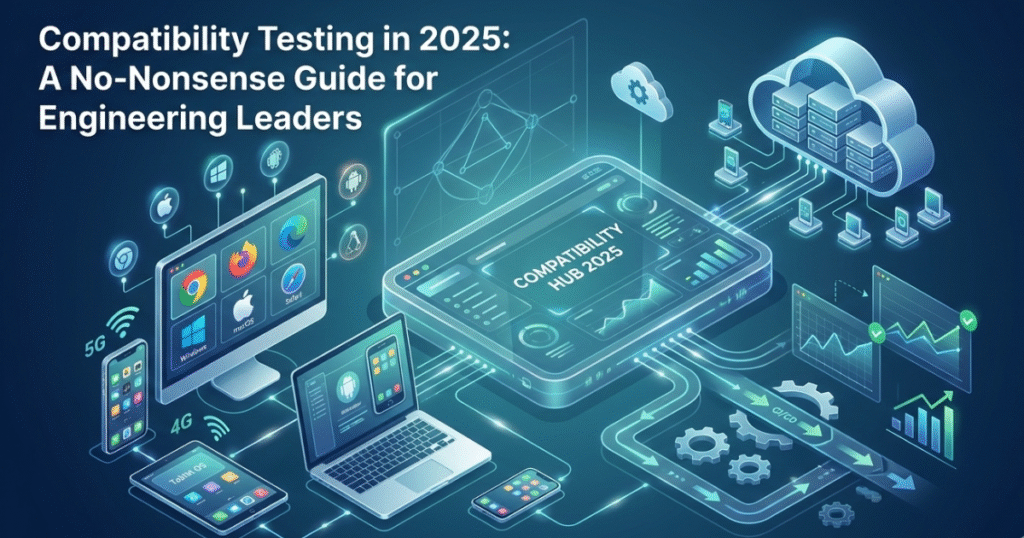
If you find your product working on your machine, well, then, congratulations! You’ve passed the world’s easiest QA exam. But, the real challenge is your user’s weird, wonderful, and wildly fragmented environment.
That’s right, we are talking about different browsers and versions, OS builds with ancient patches, budget Android phones on 3G, retina iPads with corporate VPNs, and every plugin under the sun. Compatibility testing is how you find your way through all that chaos.
Below is a straight-talking, enterprise-grade playbook that will help you understand:
- What is compatibility testing?
- Why it matters in 2025 and beyond
- Different types of compatibility testing
- How to create a lean and defensible compatibility matrix
- The tools that you help you in compatibility testing
- How to find the balance between automation and manual compatibility testing
- How partnering with Avekshaa can help you operationalize things for maximum impact
| Everything in a NutshellCompatibility testing ensures your app works across the browsers, OS versions, devices, and networks your users actually have, not the ones you wish they had. Build a tiered, analytics-driven matrix and enforce it as a release gate. Use cloud grids and automation for scale, real devices and exploratory for quality. Don’t skip network variability and accessibilitythat’s where silent churn lives. |
What is Compatibility Testing?
Compatibility is the degree to which a system can work correctly and share the environment with other components (hardware/software) without drama.
In real time practice, compatibility testing verifies that your app or site behaves as expected across browsers, versions, operating systems, devices, screen sizes, locales, network conditions, and integrations (like SSO, payments, SDKs). Cross-browser testing is one prominent slice of that pie.
Why it matters more in 2025
Compatibility testing never really lost its significance. But there’s more than one reason that makes it even more relevant in 2025.
Firstly, the Android vs iOS split is still going strong. Android holds a significant global share while iOS owns premium segments. So, one really can’t pick one and “hope for the best.”
But that’s not everything. Version fragmentation is more real than you have heard or read about. Even within iOS, traditionally uniform live estates show multiple minor versions at any point. Statcounter data visualizes active iOS versions spread globally, which matters when a minor WebKit update breaks a layout.
The Types of Compatibility Testing You Actually Need
Compatibility testing covers multiple dimensions, each addressing a unique risk area where your software could fail in real-world use. Understanding these categories helps you target your testing effort where it matters most, without wasting cycles on low-impact scenarios.
- Browser & Rendering Compatibility: Verify UI/UX, CSS rendering, JS features, cookies/storage, and accessibility (WCAG) across target browsers and versions. Build with valid HTML/CSS and progressive enhancement to minimize surprises.
- OS Compatibility: For Windows/macOS/Linux (desktop) and Android/iOS/iPadOS (mobile), always test installers, permissions, notifications, file system interactions, widgets, share sheets, and native webviews.
- Device Compatibility: Screen resolutions, DPR (retina/non-retina), CPU/GPU performance classes, memory limits. Pay attention to gesture handling and hardware differences (notches, safe areas, sensors).
- Network & Carrier Compatibility: App behavior on 2G/3G/4G/5G, high latency, jitter, captive portals, and flaky Wi-Fi. Network variability is a top source as it works in office Wi-Fi but not for customers. Use traffic shaping and proxy tools to emulate conditions.
- Integration/Dependency Compatibility: Identity (SSO/OAuth), payment SDKs, analytics, push, deep links, and third-party widgets. Validate version ranges and backward compatibility.
- Localization & Regional Compatibility: Date/time/number formats, right-to-left scripts, fonts, and input methods. Also evaluate regulatory prompts (e.g., GDPR/consent flows) and content legalities by region.
A Lean, Defensible Compatibility Matrix
The aim of a compatibility matrix is to achieve maximum coverage with intent, rather than attempting to test “everything everywhere all at once.” Here’s a pragmatic, step-by-step approach to building one.
Map User Reality
Start by pulling analytics data to understand where your users actually are. Identify:
- The top browsers and versions in use (for example, Chrome 124–127, Safari iOS 17–18).
- The most common operating system versions.
- The top devices and resolutions, grouped into categories such as small, medium, and large phones; tablets; and desktops.
- The key regions your product serves and the network types they rely on. If you have significant user bases in emerging markets, include conditions like 3G testing in your plan.
Bucket Environments into Tiers
Divide your target environments into clear priority levels:
- Tier A (approximately 80% of traffic): These must pass all tests before release.
- Tier B (about 15% of traffic): Must pass for critical user journeys; minor cosmetic differences are acceptable.
- Tier C (the long-tail 5%): Perform only smoke tests and maintain a known-issues register for any minor problems.
Select Versions Strategically
Choose versions with purpose, not guesswork:
- Test the latest two stable versions of evergreen browsers.
- Include one long-term support (LTS) or extended support release (ESR), plus any common enterprise legacy version if your B2B clients mandate it.
- Cover the top two or three iOS and Android versions based on analytics, along with one older version that remains common in your target market. On Android especially, fragmentation and slow update cycles make this critical.
Define the Depth of Testing per Tier
Set clear expectations for what “done” means in each tier:
- Functional parity: No broken user journeys.
- Visual parity: Consistent layouts, with acceptable and documented variations.
- Performance parity: Comparable load times, interaction speeds, and smoothness across devices.
Document Known Risks
Create and publish a “not officially supported” list with a clear rationale for each exclusion. This ensures stakeholders know the limits of your coverage and prevents unrealistic expectations. Update this list with each release.
Compatibility Test Design: What to Actually Run
Your test cases should go beyond “does it load?” and focus on real user journeys, edge conditions, and performance-impacting factors. The aim is to validate not just functionality, but resilience across varied environments and scenarios as follows:
- Core Scenarios (Web & Mobile Web) – First-time and returning visits, authentication flows, search and filters, form validation, file uploads, payments, deep links, error handling, language toggle, and accessibility checks.
- Native/Hybrid App Checks – Install/upgrade/migrate, cold/warm start, push notifications, background/foreground transitions, camera and file access, sharing features, in-app browsers, runtime permissions, and OS dark mode.
- Network Scenarios – Throttle bandwidth, simulate high latency, introduce packet loss, and test network switching mid-journey.
- Accessibility & Input Diversity – Screen reader support, keyboard-only navigation, zoom, high-contrast modes, and varied input methods.
The Compatibility Testing Tools That Won’t Backfire
Your toolset should give you broad coverage, fast feedback, and clear evidence for every run.
- Cloud Device & Browser Grids – Access a wide range of browsers, OS versions, and devices with CI/CD integration and local testing options.
- Automation Frameworks – Use robust frameworks like Selenium/WebDriver, Playwright, or Cypress for web; Appium for mobile native/hybrid apps.
- Network Shaping – Simulate slow networks, high latency, and packet loss to find environment-specific issues early.
- Validation Tools – Run HTML/CSS validators, performance audits, and accessibility checks to maintain quality.
- Evidence & Reporting – Capture screenshots, videos, logs, and HAR files, and link them directly to your defect tracker.
Pro Tip: Run smoke tests on every PR in headless browsers, then run Tier-A matrix on nightly pipelines, and Tier-B/C before major releases. Keep a hot list of flaky environments and re-test them post-fix.
Automation vs. Manual: Finding the Balance
You can (and should) automate a large portion of your compatibility checks, but not all of them can be left to machines. So, here’s what you should do instead.
- Automate repetitive and high-value flows such as critical user journeys, login and authentication processes, search and filter/sort operations, checkout workflows, and visual regression checks (with baseline diffs).
- Run manually or via session-based exploration when dealing with new UI components, complex user interactions (e.g., drag-and-drop, canvas elements, WebGL), accessibility testing with assistive technology tools, or unusual environment combinations flagged in support tickets.
Remember, automation gives you scale and consistency, but human exploration catches the “how did that even happen?” bugs that scripts won’t anticipate. The most effective teams run both in tandem.
Common Pitfalls of Compatibility Testing and How to Avoid Them
Compatibility testing often fails due to predictable mistakes. Here’s what to watch out for and how to fix them.
Problem: Over-broad matrices that never finish
Fix: Use tiering and analytics-driven selection. Timebox Tier B and C test runs so they don’t become release blockers.
Problem: Ignoring network conditions
Fix: Integrate throttled network tests into your CI pipeline and schedule a weekly “chaos” run to simulate poor connectivity.
Problem: False confidence from emulator-only testing
Fix: Use simulators/emulators for speed but validate release gates on real devices to catch hardware quirks.
Problem: Treating visual diffs as optional
Fix: Add a low-noise visual regression tool and whitelist acceptable layout or rendering deltas.
Problem: Not tracking environment-specific defects
Fix: Add “Environment” fields (browser/version/OS/device) to your bug reports and review trends monthly to spot recurring issues.
Kickstart Things With Our Sample Compatibility Matrix Starter Template
This sample template can be adapted to your analytics and customer SLAs:
Browsers – Desktop:
- Chrome (Latest, -1)
- Edge (Latest)
- Firefox ESR + Latest
- Safari (latest macOS)
Browsers – Mobile Web:
- Safari iOS (top 2 versions by traffic)
- Chrome Android (top 2–3 Android OS versions by traffic)
Devices:
- Phones: Small (360×640), Medium (390×844), Large (414×896)
- Tablet: iPad 10th Gen, Android mid-tier tablet
- Desktop: 1366×768, 1440×900, 1920×1080
Networks:
- 3G
- 4G with 300ms latency
- Wi-Fi with 2% packet loss bursts
Depth Rules:
- Tier A: Full functional + visual + basic performance testing
- Tier B: Functional + light visual testing
- Tier C: Smoke tests + block-only checks
How Avekshaa Operationalizes Compatibility So That Releases Don’t Slip
At Avekshaa, our process blends analytics, tooling, automation, and exploratory testing to ensure releases hit deadlines without sacrificing quality. Here’s how we shape things for impact, ahead step-by-step.
- Discovery and Analytics Pull – Collaborate with business owners to define Tier A, B, and C environments based on actual user data.
- Tooling Setup – Configure a cloud grid, CI integration, network shaping tools, and reporting pipelines.
- Automation Harness – Implement Playwright, Selenium, or Appium along with visual regression tools for baseline comparisons.
- Exploratory Runs – Perform targeted, session-based tests in “risky” environments.
- Defect Triage – Tag issues with environment metadata for faster root cause analysis and fixes.
- Release Gate – Require a Tier A pass and all critical journeys to be green on real devices before deployment.
- Post-Release Guardrails – Maintain a hotfix path and a watchlist of environments for ongoing monitoring.
The outcome?
Fewer production surprises, predictable release cycles, evidence-backed sign-offs, and higher user ratings, because, let’s face it, compatibility bugs feel personal to users.
They Way Forward: AI and Self-Healing in Compatibility Testing
AI is getting useful where it hurts. Think flaky locators, brittle CSS selectors, and visual noise. Emerging tooling offers self-healing selectors and AI-assisted visual diffs. Pair that with telemetry-driven test selection (run tests that matter to today’s traffic), and you cut cycle time without sacrificing coverage. We’re integrating these patterns in phased rollouts for enterprise teams right now.
Want a done-for-you compatibility program that’s measurable and sane?
Talk to Avekshaa’s QA Center of Excellence about a 2-week pilot. We’ll mine your analytics, design a defensible matrix, wire the CI, and deliver a compatibility report you can sign off on.
FAQs:
Q1. What’s the difference between cross-browser testing and compatibility testing?
Cross-browser testing checks behavior across browsers/versions. Compatibility testing is broader as it includes OS/device/network/integration differences and how your app behaves within those environments.
Q2. How many environments should we support?
Use analytics to cover almost 95% of traffic with Tier A+B, smoke test the rest (Tier C). Publish a support policy with each release.
Q3. Emulators vs real devices which should we use?
You can use both. Emulators or simulators are good for speed and early catches while real devices work great for release-gate confidence, especially for performance, gestures, and webview quirks.
Q4. How do networks affect compatibility?
Lower bandwidth and high latency cause timeouts, rendering delays, and transaction failures. Add throttled network profiles and packet-loss tests to your pipeline.
Q5. Which tools are best?
Use a cloud grid (BrowserStack/LambdaTest), a modern automation framework (Playwright/Cypress/Selenium/Appium), and validators/accessibility tools. Choose based on coverage, speed, price, and reporting.